For real estate agents
Launch every listingfrom your own photos.
One workspace to enhance photos, stage vacant rooms, preview renovations, write the MLS and social copy, and cut a property film.
7-day free trial · Cancel anytime

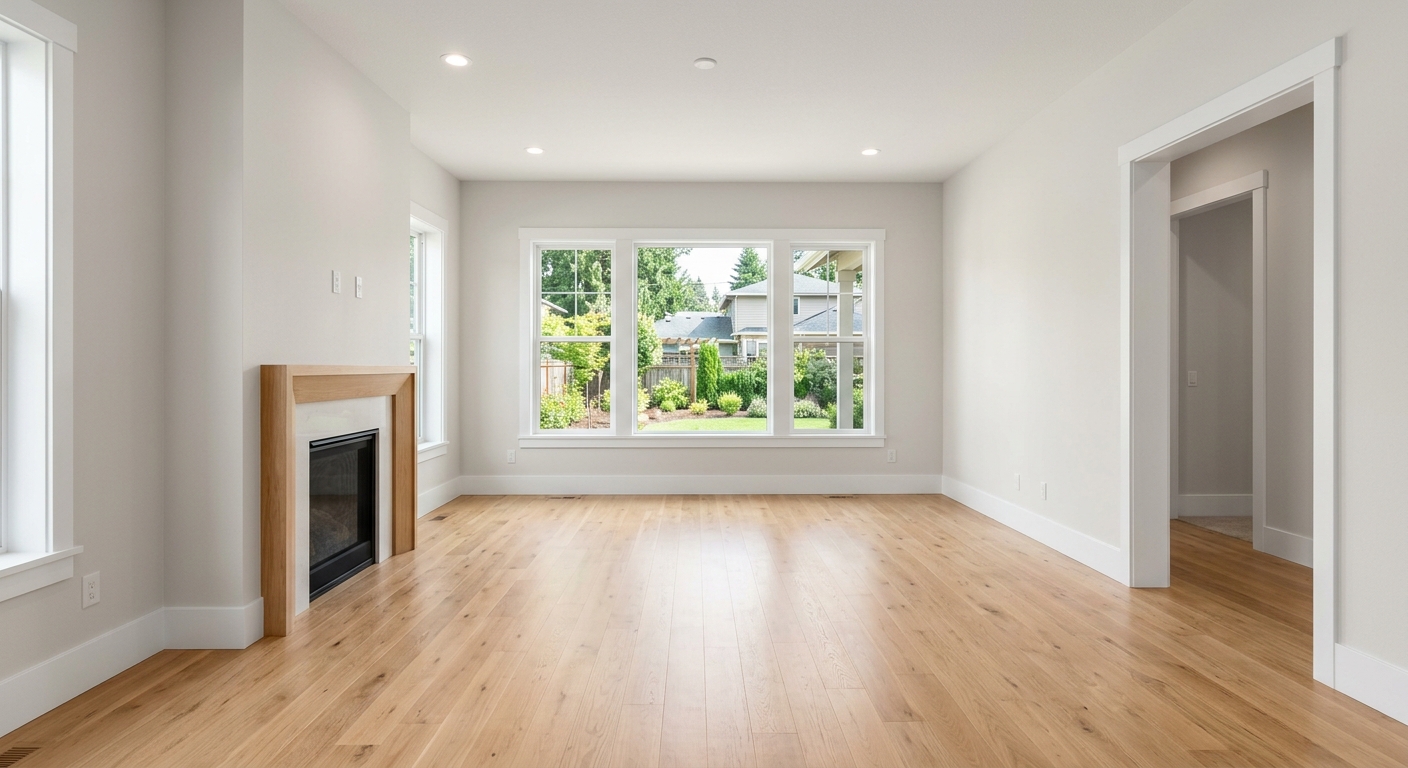 BeforeVirtually staged
What a listing launch includes
- Enhanced photos
- Staged rooms
- MLS description
- Social posts
- Property film
- Marketing kit
- Agents using EstateReImagine
- 2,400+
- agents
- Time saved
- 3.5 hrs
- saved per listing
“EstateReimagine paid for itself on the first listing. I'll never go back to hiring a videographer or a staging company.”
Which listing is this?
For the listings that need more than good photos.
- 01
The vacant listing
Empty rooms are hard to read in photos. Stage them in one of seven styles; the walls, windows and floors stay as they are.
Virtual staging
- 02
The dated kitchen or bathroom
Show what new finishes could look like, from a luxury kitchen to a spa bathroom, or describe a concept of your own.
Renovation previews
- 03
The flat or dark photo set
Balance exposure and colour across the set, then score each photo and see suggestions for what to fix.
Photo enhancement and scores
- 04
Launch day
MLS and portal descriptions, titles, a short summary, a long narrative, Instagram and Facebook posts and highlights, in five tones.
Listing copy
- 05
The Reel or TikTok
Cut a property film in portrait, landscape or square from the same photos, with a script you can copy.
Property film
- 06
A full pipeline
Search, filter by status, duplicate and manage every listing from one list, with a clear view of what’s done and what’s left.
Listing Studio
Virtual staging
Sell the room, not the empty one.
Empty rooms are hard to picture. Stage them, keep the architecture intact, and show buyers what the space could be.
- Seven staging styles
- Kitchen and bathroom renovation previews
- Your original photo is always saved beside the result
BeforeVirtually stagedFeatured room · Original photo → AI-furnished room
Stage your first roomMany MLSs require staged or renovated images to be disclosed. Label them when you publish.
The listing launch
From new listing to launch kit.
Every step happens in Listing Studio, with a readiness view that shows what’s done and what’s left.
- 01
Create the listing
Add the address and your photos. Listing Studio reads the property and notes the rooms, the light and which spaces suit staging.
- 02
Enhance the photos
Balance exposure and colour across the set. Each enhanced photo is saved next to its original.
- 03
Stage and re-frame
Furnish empty rooms, preview renovations, or create new angles without reshooting.
- Staging
- Renovation
- New angles
- 04
Write the copy
Generate every description and post in one pass, then edit it your way.
- Standard
- Luxury
- Conversational
- Concise
- Local keywords
- 05
Make the film
Choose a format and a style, pick the photos, and get a short film with a script.
- Landscape 16:9
- Portrait 9:16
- Square 1:1
- 06
Preview and download
See the listing the way a buyer would, then bundle photos, copy and film into one marketing kit.
- Buyer preview
- ZIP marketing kit
Honest by design
Virtual, and clearly labelled.
Buyers and boards expect to know what’s real. EstateReImagine keeps the line clear, so your marketing stays something you’re proud to put your name on.
Your originals stay
Every enhanced, staged, renovated or re-framed image is saved next to the original, so you can compare and choose what to publish.
Label what’s virtual
Many MLSs require virtually staged or renovated images to be disclosed. Label them when you publish, and check your local MLS rules.
You review everything
Copy is fully editable, unsaved edits are protected, and you can preview the listing as a buyer would before anything goes out.
What agents say
Real results, real agents.
“We sold our listing in 3 days. The cinematic video made all the difference. buyers were already emotionally attached before they visited.”
“EstateReimagine paid for itself on the first listing. I'll never go back to hiring a videographer or a staging company.”
“The renovation preview feature is a game-changer. Buyers could finally see what the property could become, and that's what sold it.”
Transparent pricing
Simple plans for every agent
All plans include a 7-day free trial.
Starter
$19/mo
Perfect for individual agents just getting started.
- 50 Credits Monthly
- 5 Cinematic Property Videos
- Virtual Staging (up to 3 rooms)
- Basic Image Enhancement
- High-Res HD Exports
- Email Support
Pro
$39/mo
For active agents who list multiple properties per month.
- 150 Credits Monthly
- 15 Cinematic Property Videos
- Virtual Staging (Unlimited)
- Advanced Image Enhancement
- Virtual Renovation Visualization
- Brand Watermark Removal
- Priority Support
Agency
$79/mo
For teams and brokerages managing high listing volume.
- 300 Credits Monthly
- 30 Cinematic Property Videos
- Everything in Pro
- Up to 10 Team Members
- Dedicated Account Manager
- SLA Guarantees
Questions
Questions agents ask.
What do I get for one listing?
Everything you choose to create in Listing Studio: enhanced photos, staged rooms, renovation previews, new angles, listing copy (MLS and portal descriptions, social posts and highlights), a property film and a downloadable marketing kit.
Is virtual staging allowed on the MLS?
Rules vary by MLS. Many require virtually staged or renovated images to be disclosed, so label them as such when you publish and check your local MLS rules.
Will my original photos be replaced?
No. Every enhanced, staged, renovated or re-framed image is saved next to the original, so you can compare the two and choose which to use.
Do I need design or video skills?
No. You upload your photos and EstateReImagine handles the production. There is no traditional video timeline to learn.
I have a lot of listings. Can I keep them organised?
Yes. Listing Studio lets you search, filter by status, duplicate and manage every listing from one list, and shows what is done and what is left on each one.
Can I edit the copy it writes?
Yes. Every description and post is editable before you save, and unsaved edits are protected if you regenerate or leave the page.
Can I use my own branding?
Yes. Your finished marketing assets can include your identity and contact details so the work is ready to publish under your brand.
Is there a free trial?
Yes. Plans include a 7-day free trial so you can create and evaluate the product before committing.
Your next listing
Launch it with everything it needs.
7 days free. Cancel anytime.